
Client Onboarding & Operations Playbook
Turn social conversations into an automated, catalog-backed AI sales team. This official playbook guides clients and support engineers through end-to-end portal setup, AI Master Prompt configuration, dual Facebook connection workflows, and daily order operations.
The Transformation: Before vs. After Sellzy
How an AI-trained sales team eliminates lost revenue and manual burnout
Traditional Manual Operation
- 2:00 AM inquiries go cold — shoppers purchase from competing pages before morning staff wake up.
- Repetitive manual typing — agents repeat identical price, size, and stock answers 500+ times daily.
- Fake / incomplete orders — missing district names or fake numbers lead to courier return losses.
- Lost comment revenue — viral ad comments sit without private Messenger outreach.
With Sellzy AI Sales System
- 24/7 Sub-second closing — AI engages buyers within 2 seconds, consulting live catalog stock.
- Visual product matching — sends exact product photos, variant specs, and combo pricing.
- Strict 5-field order intake — enforces 11-digit BD mobile checks & unique
#SLZ-XXXXinvoices. - Automated Comment-to-DM — instantly replies publicly and messages the customer privately.
The 5-Stage Sellzy Implementation Loop
A structured approach ensures zero friction and flawless go-live
Provision
Admin creates Client & Business ID
Teach
Catalog, Persona, Delivery & Rules
Connect
Facebook Page OAuth via Dual Path
Test
Live Messenger & Order validation
Scale
Daily fulfillment & 7-day tuning
Step 0: Admin Account Creation & Provisioning
Executed by the Sellzy Operations & Support Team before sharing access
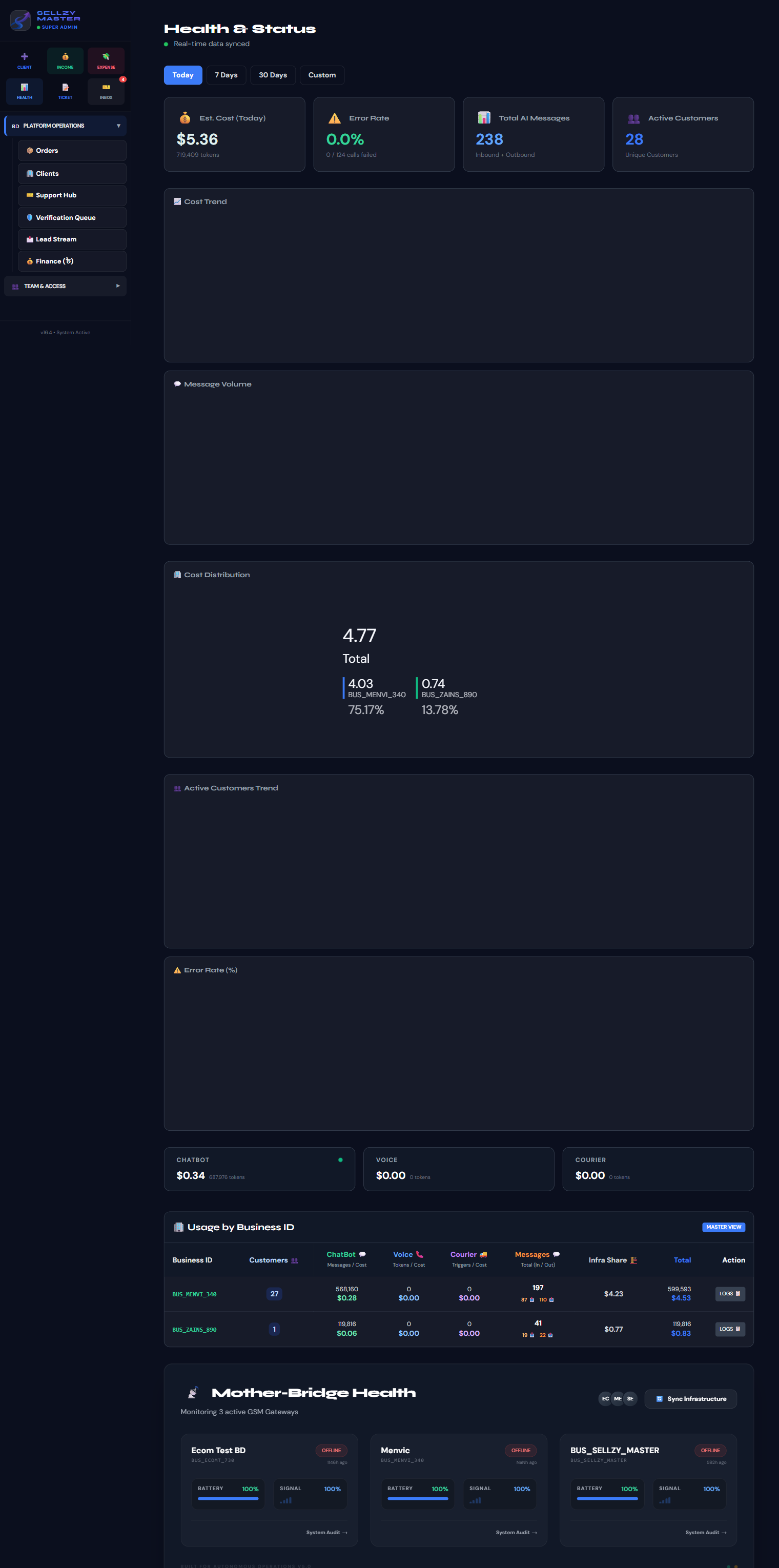
Before a client logs in, our Support Team provisions their isolated tenant in the Sellzy Admin Hub. This assigns their unique businessId, initializes their Firestore collections, and binds their billing plan.
-
1Admin Login: Support team navigates to
https://sellzybd.com/admin. -
2Add Client Record: Enter Merchant Business Name, Owner's primary Gmail ID, and assign package tier (Standard / Growth).
-
3Approve & Provision: Click Approve & Provision to generate the database tenant and initialize default settings.
Step 1: Client Portal Login & Access Link
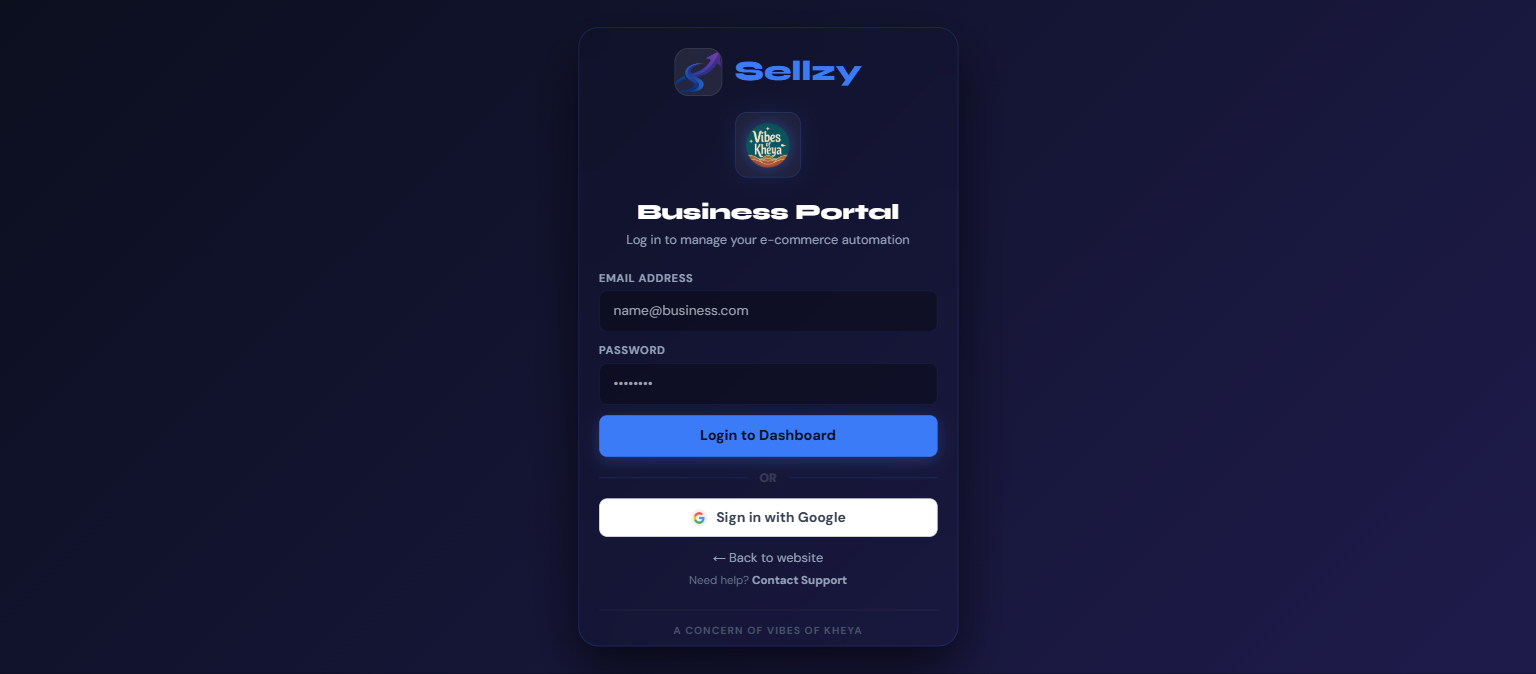
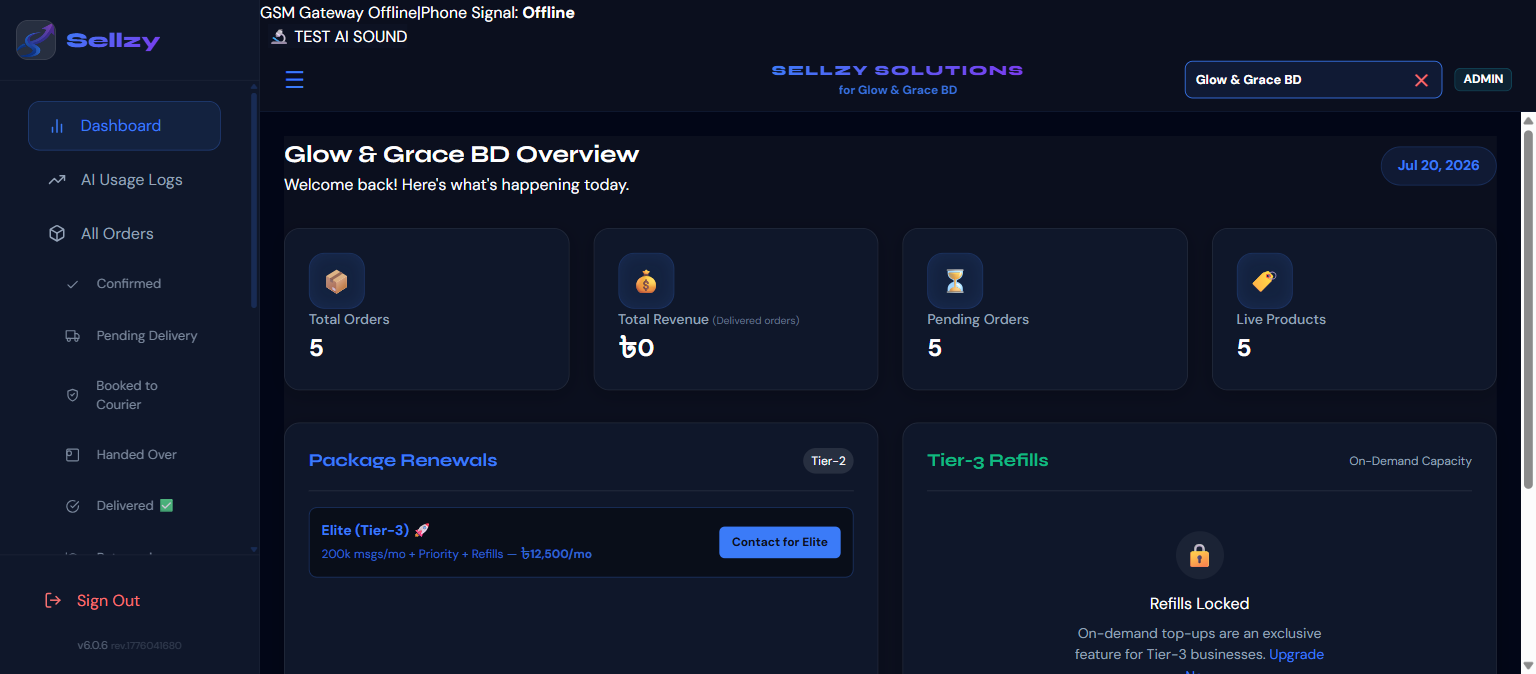
Sharing the official portal link and Google Single Sign-On (SSO)
The onboarding journey starts by sending the merchant the official portal access link:
https://sellzybd.com/portal/login
Step 2: Store Identity & AI Staff Persona
Teaching the AI how your brand speaks, greets, and presents itself
Master Prompt Settings · Section 1 & 2
Navigate to Settings $\rightarrow$ Master Prompt in the left navigation sidebar. Here we configure your brand voice.
| Field | Options / Input | Purpose & Best Practice |
|---|---|---|
| Staff Name | e.g., Amina, Ravi, Samira |
Humanizes the sales conversation so shoppers feel guided by a dedicated executive. |
| Greeting Style | Assalamu Alaikum · Namaskar · Hello · Dynamic |
Determines how the assistant opens conversations when a customer says "Hi". |
| Language Mode | Bengali (বাংলা) · Banglish · English |
Default language behavior. The AI dynamically mirrors customer phrasing automatically. |
| Tone of Voice | Friendly · Premium · Casual · Formal |
Controls word sophistication. Friendly/Casual is ideal for high-conversion fashion. |
| Reply Style | Short · Balanced · Detailed |
Cost Optimization: Short or Balanced gives quick answers and keeps message character counts low. |
Step 3: Delivery Logistics & Order Collection Rules
Preventing courier losses with explicit rates and 11-digit phone validation
Explicit Delivery Zones
Set your exact delivery pricing in Master Prompt $\rightarrow$ Delivery Configuration. The AI will never improvise delivery fees:
| Delivery Zone | Standard Rate (৳) | Standard Timeline |
|---|---|---|
| Inside Dhaka | ৳70 | 24 – 48 Hours |
| Dhaka Suburbs / Adjacent (Savar, Gazipur, Narayanganj) | ৳100 | 2 – 3 Days |
| Outside Dhaka (All Districts) | ৳130 | 3 – 5 Days |
The 5 Mandatory Order Fields
Under Order Rules, ensure all 5 mandatory fields are checked. When a customer attempts to confirm an order without full details, the AI pauses politely and asks only for the missing item:
Step 4: Product Upload & Description Standard
The 6-block template and the non-negotiable Twin Product rule
The Official 6-Block Product Template
কার্গো নীট ডেনিম কম্বো — M3-M4

Model number: M3 & M4
The ash black pant's model number is "M3"
The blue pant's model number is "M4"

কম্বো: ২ পিস ১৮৫০ টাকা | ১ পিস ৯৯০ টাকা
সাইজ (কোমর): 28, 30, 32, 34, 36, 38
কালার: অ্যাশ ব্ল্যাক (M3), নীল (M4)
ফেব্রিক: ১২.৫ (+-) আউন্স নীট ডেনিম, সুপার স্পান্ডেক্স, এক্সপোর্ট কোয়ালিটি
আলাদা করে চেনার উপায়: M3-M4 এর পকেট সোজা কাটের, M5-M6 এর পকেট কোনাকুনি
Price Box Rule (Plain Numbers Only)
| Format | Example | Status |
|---|---|---|
| Numeric Only | 1850 |
✅ CORRECT — Order totals calculate accurately |
| Text / Sentences | 1pcs 990tk & 2pcs 1850tk |
❌ WRONG — Breaks automated invoice calculation |
Step 5: Business Rules vs. Comment Reply Rules
Understanding where instructions apply to avoid contradictions
| Rule Box | Where Configured | Where It Actually Executes | Character Limit |
|---|---|---|---|
| Business Rules | Master Prompt $\rightarrow$ Custom Rules | Private Messenger DM Replies ONLY | Max 1,200 Chars |
| Comment Reply Rules | Master Prompt $\rightarrow$ Comment Replies | Public Facebook Post Comments ONLY | Under 150 Chars (1 Emoji) |
| Product Description | Products $\rightarrow$ Edit Product | Messenger replies when that item is discussed | Under 400 Chars |
Recommended Business Rules (Copy & Paste)
1. পছন্দ না হলে ডেলিভারি চার্জ দিয়ে রিটার্ন করা যাবে।
2. অগ্রিম টাকা লাগবে না — ডেলিভারি ম্যানের সামনে দেখে নিয়ে টাকা দেবেন।
3. কোনো অভিযোগ থাকলে কাস্টমার কেয়ার নম্বরে যোগাযোগ করতে বলবেন।
4. কাস্টমার সাইজ বলতে না পারলেও অর্ডার নেবেন, সাইজের জায়গায় ০ রাখবেন।
5. কাস্টমার যে প্রোডাক্ট নিয়ে জিজ্ঞেস করেছেন শুধু সেটিরই দাম ও অফার বলবেন।
6. কাস্টমার "আর কী আছে" জিজ্ঞেস করলে তখন অন্য প্রোডাক্টের অফার বলবেন।
7. Cargo Denim কম্বো ২ পিস ১৮৫০ টাকার অর্ডার কনফার্ম হওয়ার পর কাস্টমার ছাড় চাইলে ডেলিভারি ফ্রি দেওয়া যাবে — অর্ডার কনফার্ম হওয়ার আগে নয়।
8. Polo T-Shirt ২ পিসে সর্বোচ্চ ৫০ টাকা ছাড় — শুধু কাস্টমার অনুরোধ করলে।
9. ধন্যবাদ / ঠিক আছে / পরে কথা হবে বললে ভদ্রভাবে চ্যাট শেষ করবেন।
Standard Comment Reply Rules (Under 150 Chars)
1. উত্তর সবসময় বাংলায়, ১টি ছোট বাক্যে দিন।
2. দাম জিজ্ঞেস করলে: "দাম ও বিস্তারিত ইনবক্সে পাঠানো হয়েছে 📩"
3. স্টক জানতে চাইলে: "স্টক আপডেট ইনবক্সে জানানো হয়েছে 📩"
4. অফার চলাকালীন ডেলিভারি ফ্রি নয় — কেউ চাইলে ইনবক্সে কথা বলতে বলবেন।
5. অভিযোগ করলে: দুঃখ প্রকাশ করে ইনবক্সে বিস্তারিত জানাতে বলবেন।
6. প্রশংসা করলে: সংক্ষেপে ধন্যবাদ জানাবেন ❤️
7. কখনো প্রতিযোগী পেজ বা দাম নিয়ে আলোচনা করবেন না।
Step 6: Facebook Page Integration (Dual Path Architecture)
Connecting your Facebook Page to Sellzy AI after catalog setup is complete
Meta Developer Role (Fastest)
For merchants with a Meta Developer account or who accept a quick invite from Sellzy.
-
1Sellzy Invites Profile: Sellzy Admin adds merchant's Facebook profile as Tester on App ID
4305206413078347. -
2Accept Invite: Merchant visits developers.facebook.com/requests and clicks Accept.
-
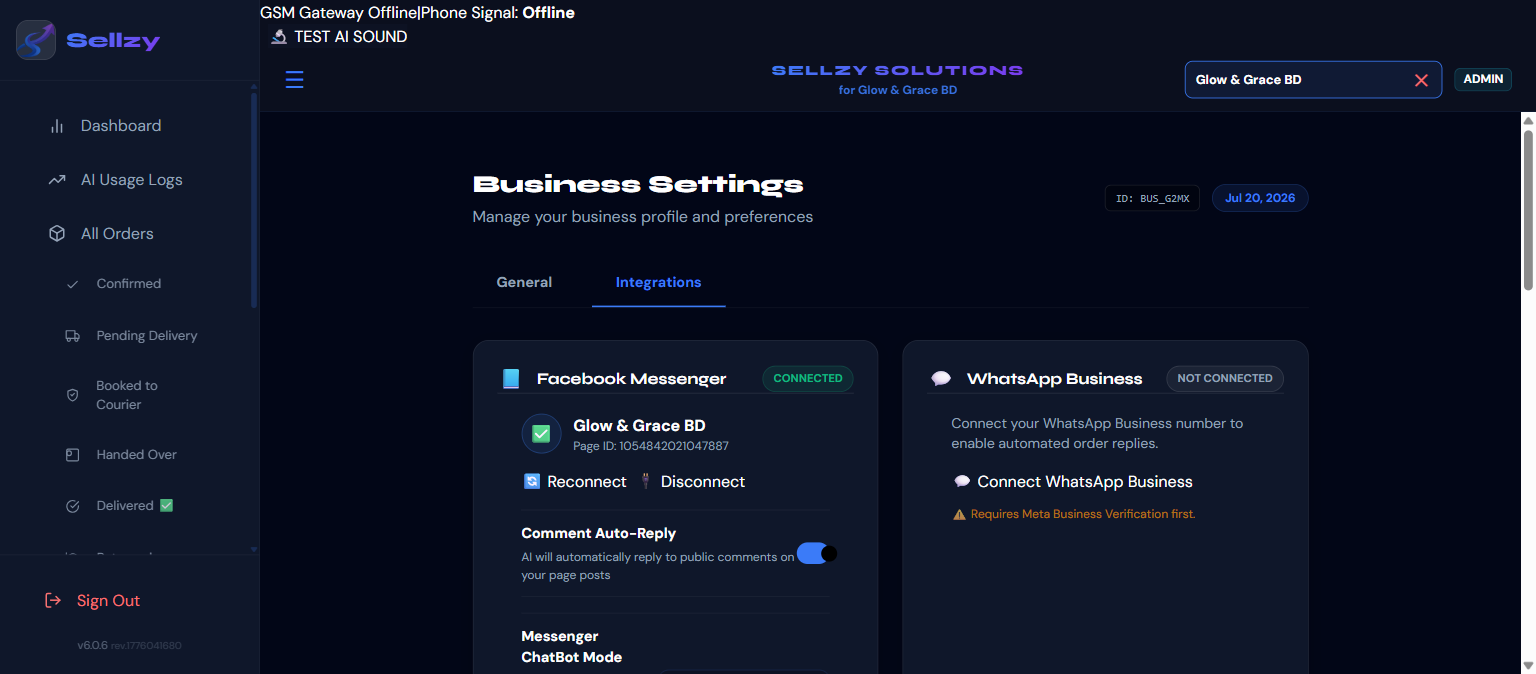
3Connect via Portal: In Sellzy Portal $\rightarrow$ Settings $\rightarrow$ Integrations, click "Connect Facebook Page".
-
4Select Pages: Select all Facebook pages you want Sellzy AI to manage. Instant 1-minute connection!
Sellzy Team Managed Setup
For merchants who prefer our technical team to handle all integration steps.
-
1Grant Page Access: Go to Facebook Page Settings $\rightarrow$ Page Access (or New Pages Experience).
-
2Invite Sellzy Support: Add Sellzy Support Facebook profile with Task/Admin access for Messages & Content.
-
3Support Team Verification: Our support team connects the Page ID and configures the webhook endpoint.
-
4Live Status Check: Status turns Green (LIVE) in your merchant portal.
Step 7: Pre-Launch QA Testing & Verification
Exercising the full conversation and checkout funnel before driving traffic
Perform these 4 sequential tests directly in your Facebook Page Messenger from a secondary personal account:
1. Greeting & Persona Check
Send: "Hi / Assalamu Alaikum"
2. Semantic Product Query
Send: "Black shirt ache 32 size e?"
3. Order Flow & 11-Digit Validation
Send: Incomplete phone (e.g. 017123456)
#SLZ-XXXX.4. Comment-to-DM Trigger
Comment: "Price koto?" on a Page Post
Step 8: Daily Order Operations & Team Roles
How packaging teams, admins, and support reps manage daily orders
Order Management Portal Workflow
Every order captured by the AI streams live into Orders. Packing teams can filter by Pending, Confirmed, Shipped, Delivered, or export directly to CSV / Google Sheets for courier logistics.
D2 Human Handover Protocol
When a human staff member replies to a customer in the Facebook Page Inbox, the AI automatically steps aside and pauses for that customer conversation to prevent overlapping replies.
Role-Based Access Control (RBAC)
| Role | Permissions | Typical Assignment |
|---|---|---|
| Admin / Owner | Full access to Settings, Billing, Master Prompt, API Keys, Team Management | Business Owner / Managing Director |
| Editor / Manager | Product Uploads, Category Edits, Order Status Updates, Rule adjustments | E-commerce Operations Manager |
| Support / Agent | View Orders, Customer Chats, Handoff Escalations | Customer Support Team |
| Viewer | Read-only analytics and order export access | Accountants / Auditors |
Step 9: Message Counting & Transparent Billing
Locked flat pricing at ৳0.1625/msg with zero hidden markups
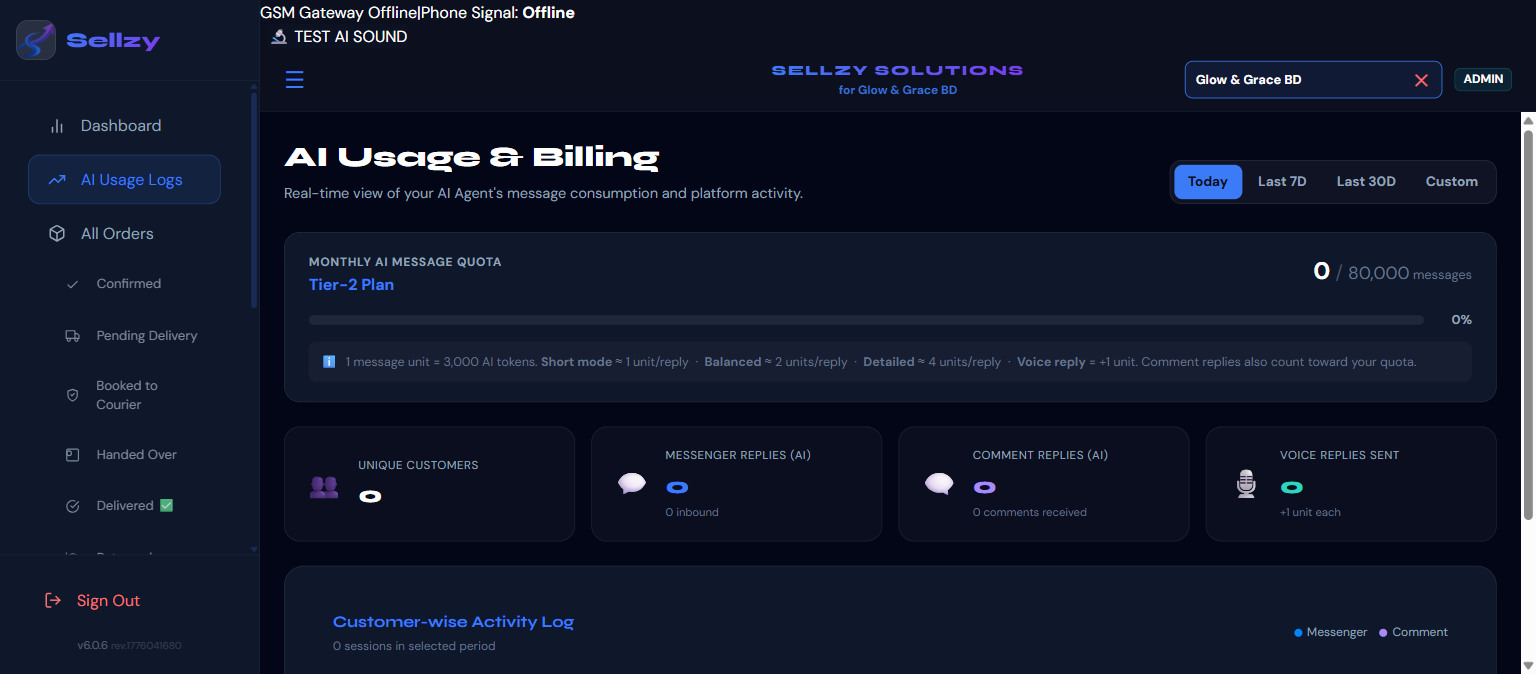
Count = Round(Physical Events × Settings Factor) + Cold Start Extra.Every merchant receives transparent billing based on actual message exchanges.
What is 100% Free?
- ✓ Initial Greeting ("Hi / Assalamu Alaikum")
- ✓ System "Typing..." Indicators
- ✓ Human Agent Handoff alerts
- ✓ Out-of-hours automated notice
What Counts as an Interaction?
- • Product Recommendation & Catalog Search
- • Variant & Price Inquiries
- • Order Collection & Validation
- • Public Comment Automated Replies
Interactive Monthly Message Cost Estimator
Estimate your daily/monthly AI sales agent expenditure based on customer volume:
Client Go-Live & Onboarding Checklist
Track your onboarding progress in real-time (automatically saved)